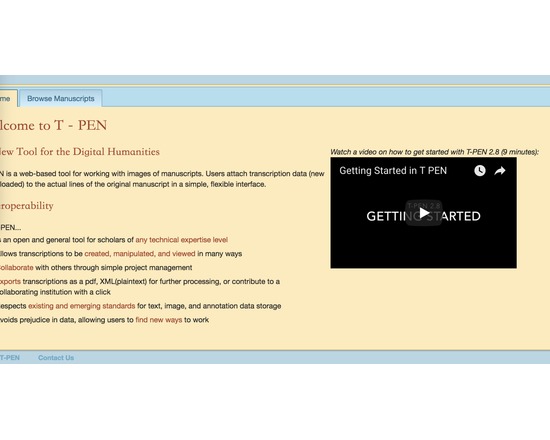
T-PEN (Transcription for Paleographical and Editorial Notation)
- Last Updated: 10/12/2018 12:00:00 AM
- Site: http://www.t-pen.org/TPEN/
Extensive set of tools to allow collaborative transcription of manuscript pages in TEI-compliant XML.
Features of T-PEN through version 1.2 [from project blog]
Zoom Tool in Transcription User Interface: Holding CTRL+SHIFT will result in a magnified image of the current line being transcribed.
Magnifying Tool in Full Page View: Click on "Magnify" button at the top right of the browser window and a magnifying glass tool will appear as the mouse pointer. Click on the same button to dismiss the tool. The magnifying tool is also available in the Compare Page feature.
Create a Project “Pipeline” to the outer world: In partnership with The Carolingian Canon Law Project (CCL), T-PEN developed a model for enabling users working on transcription projects in T-PEN to export their work to a larger, external project. In this instance, the CCL prepared for T-PEN an XML-markup template (XML button set) that may be used for all transcriptions destined for the CCL database. Users identify their T-PEN projects as destined for the CCL, and when the transcription is complete, they can submit it from T-PEN to the CCL project. The CCL receives notification of the stable URL in T-PEN that the CCL can (either manually or by automation) use to extract the designated transcription from T-PEN’s data store. Other projects interested in creating their own pipeline should contact T-PEN via t-pen.org
T-PEN Administration: T-PEN administrator can clear registration requests that have not been approved (ones that were mostly generated through internal testing).
Transcription UI: The previous line text will scale to the size of the screen. When on the first line of the page, available text from the last line of the previous page will be shown.
Visual Cue for Closing Tag Proximity (Transcription UI): Closing tags originating on previous pages are faded to indicate their distance from the current line of transcription.
Transcription Preview: The preview tool now applies a simple color filter to to allow for a more clear view of your transcription.
New Project Option Tools: Users can add a French/English dictionary, a dictionary for Middle English and the Dictionary of Old English (subscription required). User can select which tools will be available in the Transcription UI’s i-frame. All tools can also be renamed by the user on the project management page.
Exporting Transcriptions: When exporting xml, users can select or deselect all the tags for inclusion at once.
Line History (Versioning): T-PEN distinguishes between all versions of any transcription line. Users can view previous versions of a given line. A change in a line is defined as addition or deletion of a single character (including white space) or modifications to the line parsing coordinates. A previous version can be selected to replace the current version. All versioning activity is recorded in the project log, which can be viewed on the project management page under the Collaboration tab.
- Type of analysis: Collaboration Capture Dissemination
- Type of license: Open Source
- Web Usable: Run in Browser
- TaDiRAH Goals: Capture Dissemination
- TaDiRAH Methods: Collaboration Crowdsourcing Transcription
Comments
T-PEN was used in these research abstracts available in XML for mat at https://raw.githubusercontent.com/lehkost/ToolXtractor/master/data/xml/2015/STUTZMANN_Dominique_From_Text_and_Image_to_Historical_R.xml
https://raw.githubusercontent.com/lehkost/ToolXtractor/master/data/xml/2019/ANDREWS_Tara_Lee_Continuous_Integration_Systems_for_Critical.xml