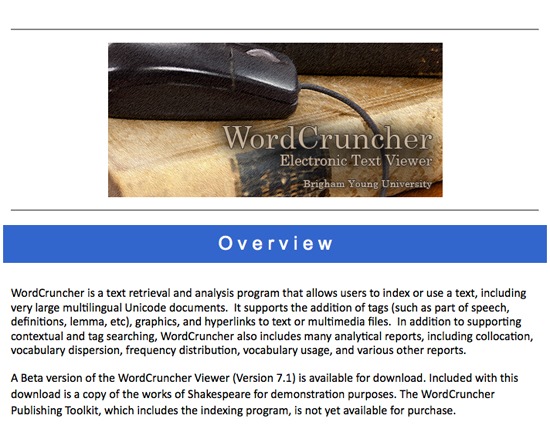
WordCruncher
- Last Updated: 11/6/2018 12:00:00 AM
- Site: http://www.wordcruncher.com/
WordCruncher is long-standing text indexing, retrieval and analysis program offered by Brigham Young University. Its functions include tagging, contextual searching, collocation and analytical reporting, and its development has been active since the 1980s.
Documentation
Attributes
- Type of analysis: Search Natural Language Processing Analysis Content Analysis Discovering
- Type of license: Free
- Web Usable: Software you Download and Install
- Ease of Use: Moderate
- Historic Tool (developed before 2005): Development sustained to present
- TaDiRAH Goals: Analysis
- TaDiRAH Methods: Content Analysis Discovering Other (analysis)
List this tool appear on
Rating
Suggested Tools
Comments
More information on the development and applications of WordCruncher may be found here:
Olsen, Mark. \"Software Review: Textbase for Humanities Applications: WordCruncher.\" Computers and the Humanities 21.4 (1987): 255-260. Web.
Program Overview
WordCruncher was a microcomputer concordance program for manipulating large text corpora developed by the Electronic Text Corporation in the late 1980s (Olsen 255).
According to Mark Olsen, who reviewed the program for Computers and the Humanities, \"WordCruncher is a renamed and slightly updated version of the successful Brigham Young University Concordance Program (4.0)\" that included rewritten documentation and improvements on the original (255).
The 1987 version of WordCruncher consisted of two sub-programs, INDEXETC and VIEWETC (Olsen 256). From a plain text input file, INDEXETC created files with cross references, a word list and word frequencies, while VIEWETC used INDEXETC output to concord the specified words, generate word frequency and distribution reports, and index both key word in context (KWIC) and key word out-of-context data for the text (256). Users were required to specify which control codes WordCruncher should use to partition the text into sections for identification before processing, or WordCruncher would default to book, chapter and paragraph partitioning (256). Alternate divisions included page and line (Olsen 256).
INDEXETC also included translation tables, which specified word sort orders, character attributes and character translations for use users' texts, and stopword files (256). WordCruncher defaulted to English for these, but alternate languages such as French and German were also included with the program (256). The translation tables enabled users to specify which characters to treat as separators, to automate character substitutions where required, and define the desired sort order for the tool's output (256). While INDEXETC could embed code into ASCII texts automatically, its capabilities were sufficiently limited that Olsen expected most users would resort to insert coding manually or through their own customized coding program to ensure the program handled all aspects of the text as required (256).
VIEWETC permitted users to query output, such as looking up words, parts of words or phrases (Olsen 257). It also included features for underlining or highlighting parts of the text (257). This part of WordCruncher utilized a windows-based interface, enabling users to not only have multiple windows open but to customize the display for each one as needed (257). Lookup could be accomplished either by typing directly or by selecting a word from the provided list, which also showed the number of occurrences for each searchable item (257).
VIEWETC's collocation program was particularly powerful as it generated a table with the total occurrences of a word, its co-occurrences within a specified range and also listed valid cases (257). For word occurrences, users could specify ranges of texts to include, so that users could compare results between sections of their corpus (Olsen 258). Users could create reference lists of multiple words to include in a concordance report (Olsen 257). The lists feature enabled users to concord inflections of a single word (257), or related words, such as legal terms or pronouns, all in the same report (Olsen 258).
The interface was a major part of WordCruncher's appeal. Olsen found that
[t]he user interface is sensible and remains consistent between the two programs. Display screens are usually well laid out, are easy to read and can be tailored to individual tastes. This aspect is important since both programs deliver a lot of information, even during long processing periods, and are completely menu-driven. Once the command structure is mastered, the programs are manipulated quickly and efficiently. (Olsen 255)
WordCruncher was capable of manipulating large text corpora exceeding 250 megabytes, though it required a computer with a CD-ROM drive to handle such texts (Olsen 255).
Olsen identified several problems with WordCruncher, all of which he judged minor (Olsen 260). He found its reference section confusing, as the VIEWETC section was arranged by command name in defiance of its menu-driven interface, and INDEXETC was arranged by file name, which Olsen found \"opaque\" (260). He also noted a few bugs, one of which caused menus to display briefly even when not in use, and another that monopolized the computer's printer port, preventing other programs from sending jobs to the printer correctly unless the user reset the machine (260). The INDEXETC subprogram was furthermore incompatible with some memory-resident utilities to the point that INDEXETC \"will fail on start\" (260). Lastly, Olsen found WordCruncher's output less readable than its previous version, the BYU Concordance, as highlighted target words could now appear anywhere in the line rather than the program automatically centering them in the display (260).
Despite his concerns with the presentation order, Olsen found the documentation thorough, including a list of error messages, explanations of error codes with troubleshooting recommendations, textbase design help and a frequently asked questions section (260). The commands and procedures were clearly explained and accompanied with examples and illustrations (260).
Olsen \"enthusiastically recommended [WordCruncher] to scholars requiring a concordance system as well as a more general text retrieval system\" (Olsen 255). As a whole, he judged that
[WordCruncher] is, with very minor exceptions, well finished. It incorporates a powerful concording system with more general search and retrieval capabilities. Married to mass storage technologies now reaching the microcomputer market, it offers an intriguing method of organizing and analyzing text on a large scale. The promise of large bodies of text for scholarly use on WordCruncher only adds potential to this impressive product. (Olsen 260)
NOTE: WordCruncher has been in active development since the 1980s. The current version is maintained by Brigham Young University and now includes four separate tools. It is freely available for download from http://www.wordcruncher.com
Source
Olsen, Mark. \"Software Review: Textbase for Humanities Applications: WordCruncher.\" Computers and the Humanities 21.4 (1987): 255-260. Web
WordCruncher also appears in Project Bamboo's DiRT, a registry of digital tools suitable for academic research. DiRT contains a wide range of tools and software searchable by task, such as annotation, content management, collaborative research, or authoring. It is an excellent resource for Digital Humanists seeking the right tool for the task at hand.
View WordCruncher in DiRT:
http://dirt.projectbamboo.org/resources/wordcruncher
View the full site:
http://dirt.projectbamboo.org/
WordCruncher was mentioned in this research abstract https://dh2018.adho.org/en/burrows-zeta-exploring-and-evaluating-variants-and-parameters/