Co-Occurrence - HTML (TAPoRware)
- Last Updated: 12/19/2011 12:00:00 AM
- Site: http://taporware.ualberta.ca/~taporware/htmlTools/cooccur.shtml
This tool looks for two words a certain distance apart from one another in an HTML document, within the user-specified limits of words, sentences or lines. The results can be narrowed to only include words found within certain tags. XML and plain text versions are also available within the TAPoRware toolsets.
Documentation
Creator(s): Geoffrey Rockwell et. al.
Creator's Site: http://geoffreyrockwell.com/
Creator's Email: grockwel@ualberta.ca
Repository:
Attributes
- Type of analysis: Search Discovering
- Type of license: Free
- Web Usable: Run in Browser
- Ease of Use: Easy
- Warning: Still in Development
- Tool Family: TAPoRware
- TaDiRAH Methods: Discovering
List this tool appear on
Rating
Suggested Tools
Comments
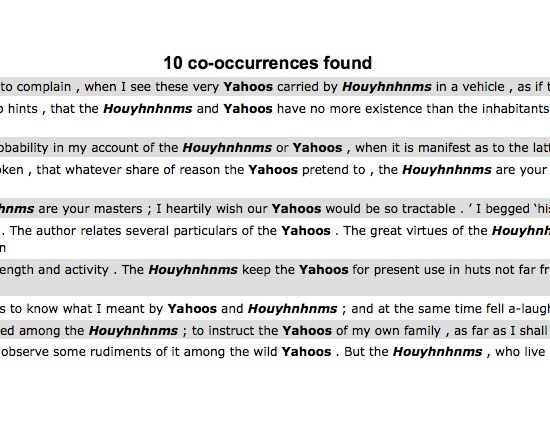
Co-occurrence (HTML) is a free, web-based tool designed to run in a browser window. It is easy to use, designed to search for two words or patterns within a user-specified distance apart and show all instances matching the specifications within a document, either hosted at a web address or uploaded from the user's files.
Users may set the context to words, lines, sentences or paragraphs, specify what length of that context to look within (ex: 5 words, 2 paragraphs), or limit the search only to words appearing within specified HTML tags. Larger contexts will slow the tool's processing, particularly for novel-length texts. Searching a pattern rather than a word requires skill with regular expressions and is thus not accessible to all users.
Other features include an option to exclude words appearing in the Glasgow stop list from the list of collocates and output formats including XML Tree and tab delimited.
This tool has only two minor problems. When the tab delimited output is selected, the tool may not process some characters correctly; please see List Words (Plain Text) for examples. In addition the tool has difficulty with the text structure of poetry and may not give results when the context is set to paragraph.
In summation, Co-occurrence (HTML) is an effective way to see where two words or patterns appear in relation to one another. Versions are also available for XML and plain text documents.