Easy Tools to Start With
Want to try out text analysis. Here are some easy tools to try. They are all free and on the web.
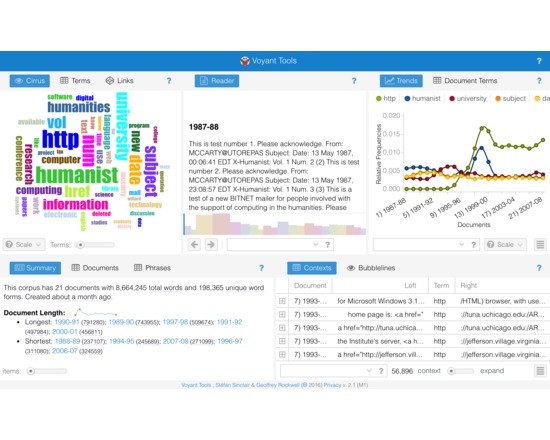
Voyant 2.0 is a complete rewrite of Voyant. It provides a suite of text analysis tools that will work with most texts you can upload or find on the web. These tools are combined in skins. For documentation see <a href="http://voyant-tools.org/docs/">Documentation for Voyant 2.0</a>
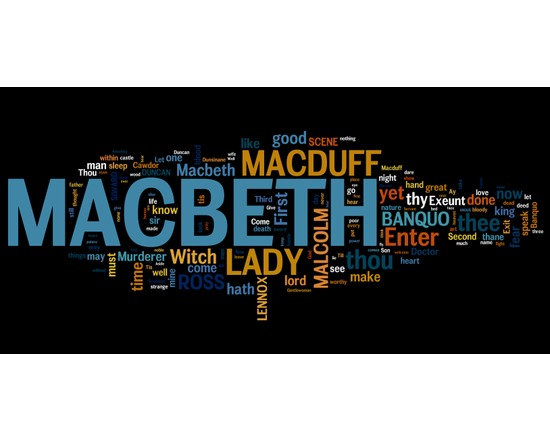
<p>Wordle is an online toy for generating <a href="http://en.wikipedia.org/wiki/Word_cloud">word clouds</a> using the text you provide. Text can be submitted by providing an URL or by pasting raw text into an input. The most frequent words from the text are then used as the source for the resulting visualization, where frequency is used to determine the size of each word.</p> <p>You may customize the output by choosing from a variety of display options (layout, font, colours) or use the randomize feature to get a random visualization. Additionally, there is built-in stop word support for many common languages, and the option to change the word case.</p>
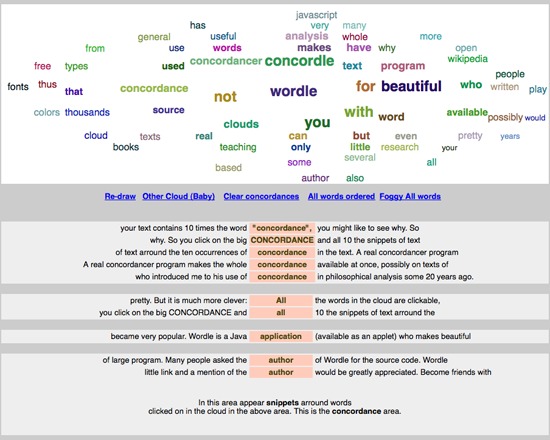
<p>Concordle is a free, web based word cloud and concordance tool built in Javascript. It describes itself as the "not so pretty cousin of Wordle" and first debuted in 2006. Users can paste text into the provided box and generate a word cloud, concordance or list of words ordered by frequecy. It also includes a field for stop words.</p>
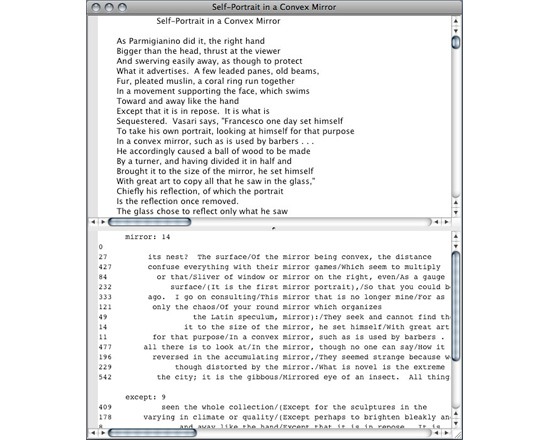
<p>Concord is a free concordance generator written in Python for OS X and Windows XP (a new Windows version is forthcoming). It generates a KWIC concordance entry from a plain-text file for any word or phrase and permits sorting in a variety of ways. Concord can handle large text files, and preliminary testing with the modern Greek alphabet shows it supports non-Latin alphabets. This tool is described in Chris O. Hartman's book <em>Virtual Muse: Experiments in Computer Poetry</em>.</p>
Other list by Geoffrey Rockwell
Cool Voyant Tools