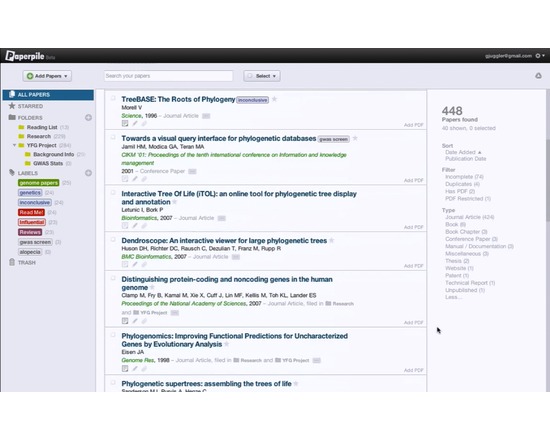
Paperpile is a web-based commercial reference management software with special emphasis on integration with Google Docs and Google Scholar. It imports data from academic publisher websites and from databases such as PubMed, Google Scholar, Google Books, and arXiv. Paperpile can retrieve and store publication PDF files to the user's Google Drive account.
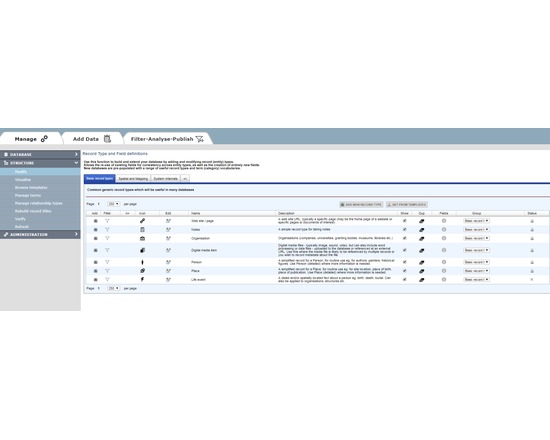
HEURIST (http://HeuristNetwork.org) is an extremely flexible, end-user oriented, web-based data management system designed specifically for Humanities data. Developed since 2005, it has been in active use across many projects since 2009. It is available both as a free web service for researchers (hosted at the University of Sydney Data Centre) or for installation on a physical or virtual server (Open Source on gitHub).
Researchers can design, create, manage, analyse, visualise and publish their own richly-structured database(s) through a simple web interface, without the need for programmer(s). Quite complex databases can be built in a few hours by borrowing structures and vocabularies published by other users. Databases can be designed and built incrementally, as existing data are not affected by changes in structure. Databases created by Heurist are stored in MySQL with a repeatable structure facilitating sustainability and independent access by other software.
Advanced features include record linking, graph structure, drill-down facet searches, rule-based queries, custom reports, linked map-timelines, network visualisation, normalised spreadsheet import, crosstabulation, XML feeds, XSLT transforms. The team provides initial email and skype assistance for project setup at no cost, and special customisations at modest cost.
Heurist is applicable in many domains including History, Archaeology, Anthropology, Cultural Research, Linguistics, Media Studies etc. It handles everything from text, tags and categories, through networks of rich relationships and offset annotations, to images, video, spatial data and dating (including non-western systems and dating uncertainty).
Sophisticated searches (including faceted and rule-based) can be saved, organised and rendered as layered interactive maps, timelines, network visualisations, crosstabulations, lists, custom reports, XML and XSLT transforms, all of which can easily be printed or embedded (live) in a website - Heurist provides the html code required to embed results in a web page or CMS.
Databases can easily be migrated later to a personal or institutional server. Since the data are stored in a standard MySQL database with a fixed and well-documented structure, the data can be accessed directly via SQL from most programming languages independently of Heurist.
Version 4.2 (Jan 2016 onwards) is available as a service via the Heurist website. Version 4 delivers a user-customisable interface of widgets, along with better mapping and visualisation. Existing version 3 databases are bidirectionally compatible with version 4.
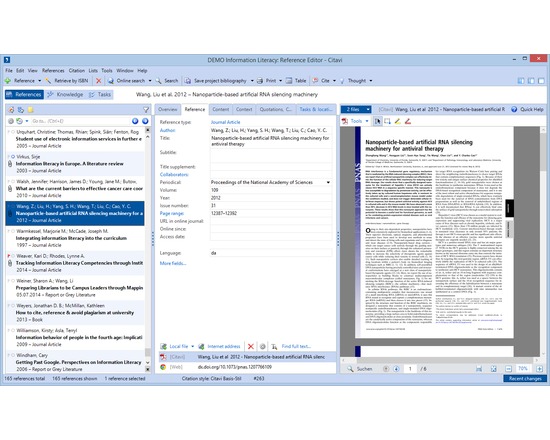
Citavi's core features are reference management, knowledge organization, and task planning.
Reference management
Search in thousands of databases and library catalogs from within Citavi
Organize references
Annotate and automatically rename PDF files
Batch import PDF files and import their metadata automatically
Find fulltext to references
Collaborate with others on a local network (no need to have your data in the cloud)
Import from other reference management programs and formats, including RIS and BibTeX
Import ISBNs, DOIs and PubMed-IDs on web pages with a click
Import web pages with a click
Transform web pages into PDF files to save their content
Work seamlessly with Word (versions from 2003)
Send references to Open Office and LibreOffice Writer and any program that can process files in RTF (i.e. Scrivener)
Use with LaTeX editors
Create subject bibliographies with a click
Publish in all common citation styles. Styles for journals can be requested" target="_blank" for free
Integrated citation style editor
Advanced style finder
Integrated quick help
Interface and quick help in seven languages (English, French, German, Italian, Polish, Portuguese, Spanish)
Knowledge organization
Import text excerpts and images from documents as quotations and organize them together with summaries, comments and own ideas imported as "thoughts"
Quotations, summaries, comments and thoughts can be outlined directly in Citavi to reflect the structure in chapters of the publication prior to the actual writing, thus permitting to separate the construction of the argumentative structure from the actual writing process
Task planner
Schedule tasks related to titles (order, photocopy, extract citations, read, check, ...) and milestones
Print lists of to do lists with a click
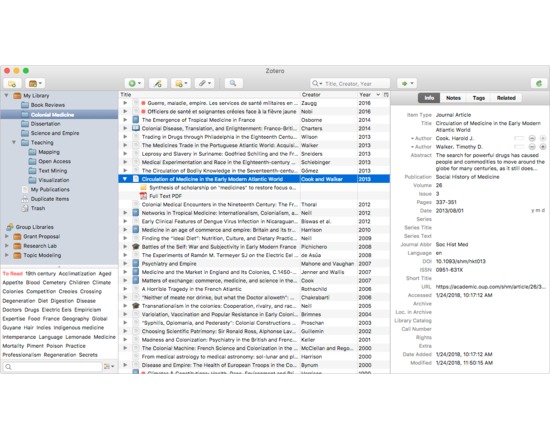
Zotero is a free tool that collects, manages and cites research sources. It stays on your web browser where you do your work and it's easy to use. It's being downloaded as a firefox extension, used with the chrome and safari browsers or used as a standalone tool. It allows you to attach pdfs, notes and images to your citations, organise them into easily searchable collections for different projects, and open office using any of over 2800 citation styles. references can be added to a zotero library in many different ways: directly from databases, journal websites, google scholar or the library catalogue, by referencing file import ( for example from an Endnote library), by dragging in pdfs from your hard drive, and by entering them manually.
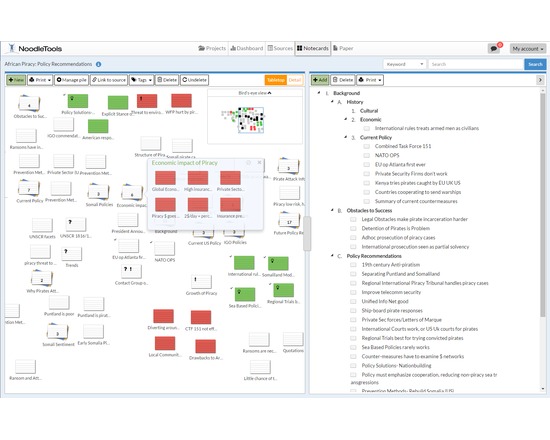
MLA, APA, Chicago / Turabian and most-common Bluebook forms as an integrated citing and note-taking platform for individual or group projects. Prompts for analysis of source types and is unique in offering teaching support and personal help on any citation. Instructor / librarian view allows teacher to comment on work-in-progress providing just-in-time feedback in-context. Archives copies of web pages and pdfs which can be annotated. Dashboard provides long-term access to a portfolio of work.
NoodleTools MLA Lite is a free version with a Bibliography component and limited set of citation types appropriate for elementary or middle-school students.
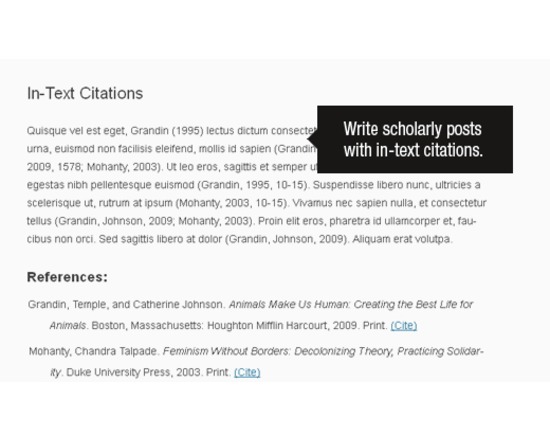
Zotpress is a WordPress plugin that enables users to easily add Zotero citations to a WordPress site by using a special syntax that turns a Zotero citation key into a well-formatted inline citation and bibliography, based on the data stored in Zotero.