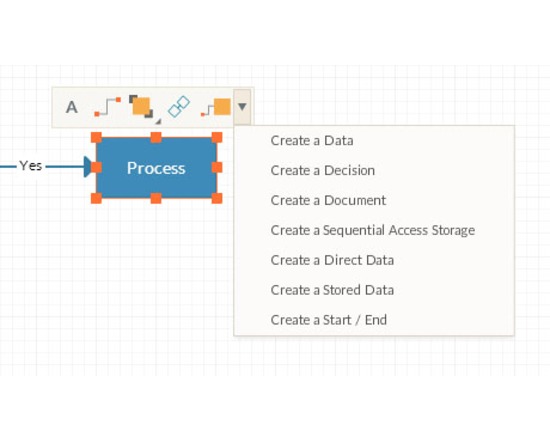
Creately is a web based diagramming tool with real-time collaboration to work together on diagrams. If you're not comfortable storing data on the cloud you can use the desktop version. It lets you create workflows, mind maps, concept maps, business process models, wire-frames, org charts and many more diagram types useful in research projects.
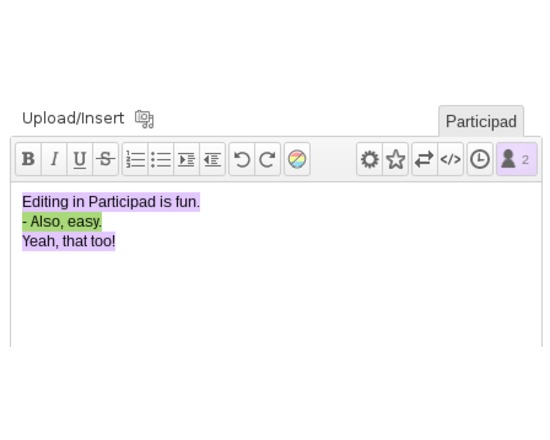
Participad is a WordPress plugin that allows multiple people to edit the same WP content at the same time. Powered by Etherpad Lite, Participad gives you: notepads for collaborative notetaking; synchronous authoring of any content in the WordPress Dashboard; front-end editing. You can download it from the WordPress plugin repository.
Participad has three modules:
Dashboard – The Dashboard module puts Etherpad editors into the WordPress Dashboard. Participad removes the “Visual” and “HTML” tabs from the standard WP editor, and replaces them with a “Participad” tab.
Frontend – The Frontend module allows users to edit WordPress content from the front end of your website – no Dashboard required. Participad modifies the Edit links on your posts and pages so that, instead of leading to the Dashboard, the static content of your post is swapped with an editable Etherpad window.
Notepad – The Notepad module enables a new WordPress Post Type called Notepads. Notepads are collaborative note-taking documents, which can optionally be linked to existing static posts or pages. Participad provides several shortcodes and widgets that make it easy to create new Notepads from the front end of your website.
N.B. Participad requires a separate Etherpad Lite Installation.
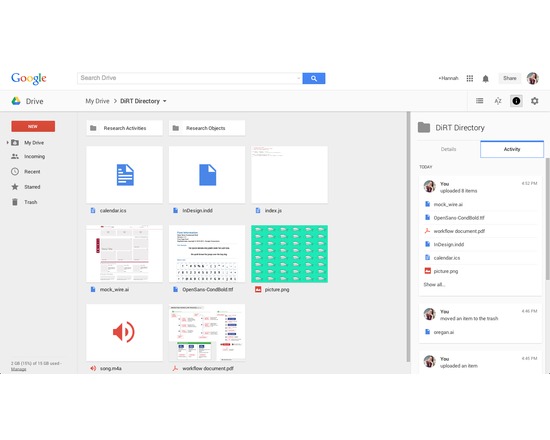
Available as a web-based service and as an app for iOS, Mac, PC, and Android, Google Drive allows users to create, store, edit, and share files across all their devices. Online and offline file access available. Requires a Google account for use, but allows files from Drive to be shared with non-Google users.
Drive allows users to upload, store, and share any type of file (e.g., JPEG, MP4, JS, INDD, AI). The majority can be previewed, and many can be edited within Drive. Some files (e.g., DOCX, XLSX, PPTX) can be converted into compatible file types for editing, commenting, and more. Drive is the platform for Google Sheets, Docs, Slides, and many other approved applications. Files saved in Drive sync to all other devices, with an activity monitor that can be useful for version control (see what edits have been made and when, and revert back to previous instances if needed).
Offers both free and paid accounts, priced by data capacity: 15 GB (free), 100 GB ($1.99/month), 1 TB ($9.99/month), 10 TB ($99.99/month), 20 TB ($199.99/month), 30 TB ($299.99/month). Teams with more than five people can purchase unlimited storage for $10/user/month.