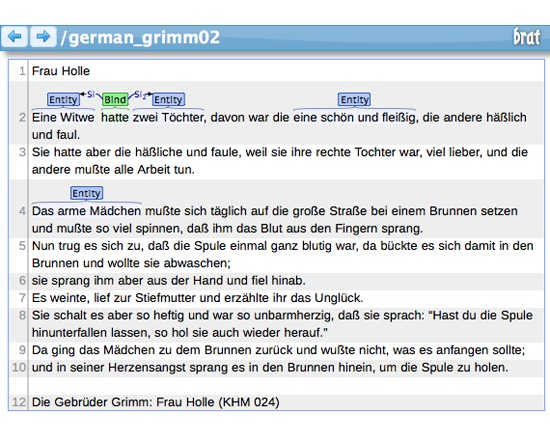
The brat rapid annotation tool is an online environment for collaborative structured annotation of texts. It can be run in a browser (optimized for Chrome and Safari) or downloaded for local installation. It can be used for a variety of annotation tasks, from identitifying natural language entities to chunking to adding metadata.
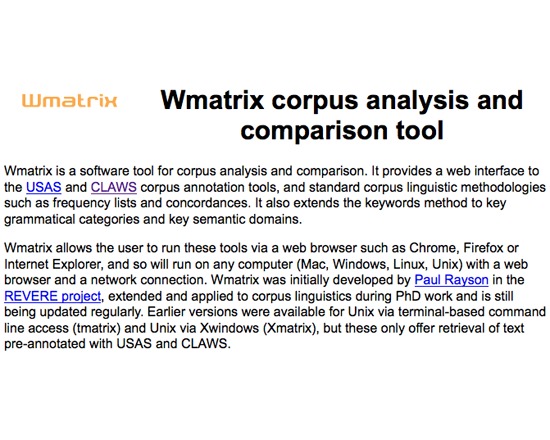
Wmatrix is a free tool for corpus analysis and comparison. It provides a web interface for USAS and CLAWS, in addition to enabling standard corpus linguistic functions such as frequency lists and concordances.
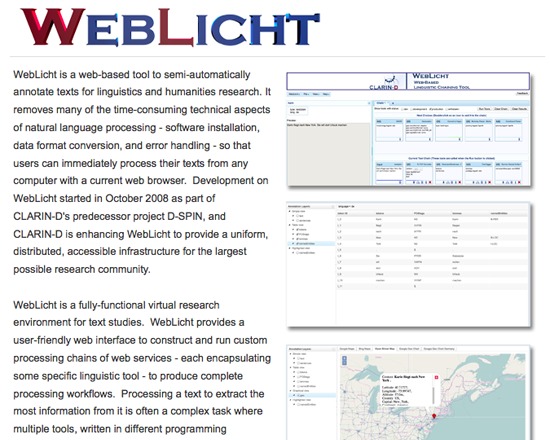
WebLicht is an architecture for creating annotated text corpora. It offers a fully-functional virtual research environment with chains of RESTful web services, each providing a linguistic tool such as format conversion, tokenizing, tagging or parsing. It outputs corpora as XML documents.
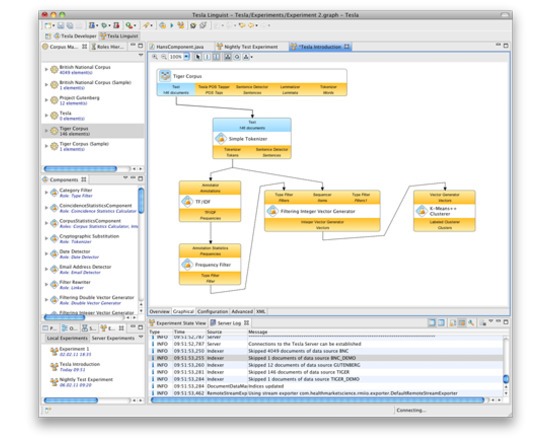
Tesla is a virtual research environment for text engineering - a framework you can use to create experiments in corpus linguistics, and to develop new algorithms for natural language processing. Tesla is a client-server application, which can be used by individual researchers as well as by workgroups. The screenshot below shows the experiment editor of Tesla's Client application.
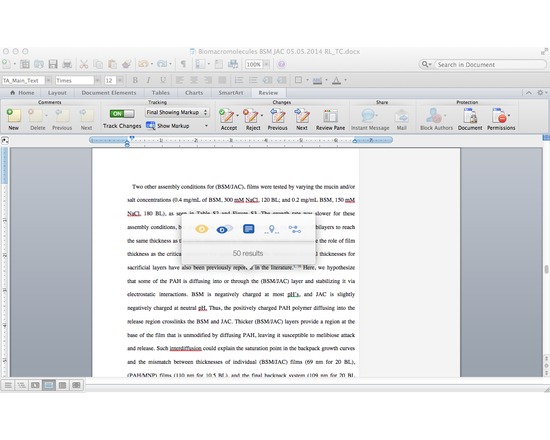
Writefull is a light-weight app that uses data from Google Books (5+ million books) and the Web to improve your writing, It compares small sections of your text to a large data set of writing found online and in Google Books. All you need to do is select a chunk of your text in your browser or text editing software, activate the Writefull popover, and choose one of its five options:
1) check the number of results (how often the chunk appears in Google Books or the Web);
2) compare the number of results (if your selected chunk appears more or less frequently than suggestions from online);
3) see examples in context (display several examples of how your selected chunk is used in different texts);
4) find words in context (see which words are used most often in your context, which you specify in your text by a star. For example, 'research should * this issue' will give you a list with 'research should address this issue', 'research should explore this issue', 'research should examine this issue', etc.);
5) find synonyms in context (see which synonyms of a word are used most often in your context, with you specifying the word you want synonyms for by two stars. For example: 'a *difficult* situation' will suggest 'an awkward situation', 'a serious situation', 'an embarrassing situation', etc).
The app works with a small popover which mean you can activate it from whatever writing tool you're using. No need to change windows - no interruption of your workflow.
N.B. Writefull 2.0 will be launching soon and will eliminate the need to purchase queries in the Web version. The $5 membership fee still applies.
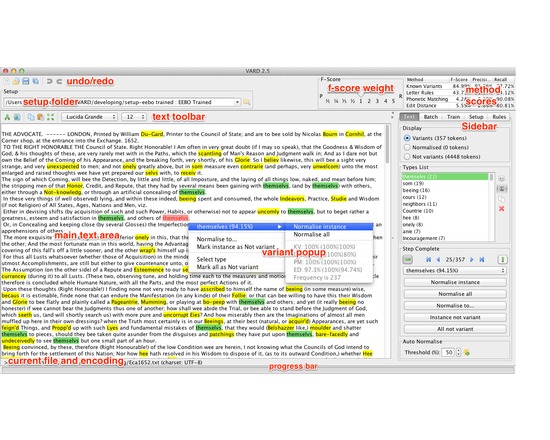
VARD 2 is an interactive piece of software produced in Java designed to assist users of historical corpora in dealing with spelling variation, particularly in Early Modern English texts. The tool is intended to be a pre-processor to other corpus linguistic methods such as keyword analysis, collocations and annotation (e.g. POS and semantic tagging), the aim being to improve the accuracy of these tools
The VARD 2 software uses techniques derived from modern spell checkers to find candidate modern form replacements for spelling variants found within historical texts. The user can choose to process texts manually, selecting a candidate replacement offered by the system; automatically, allowing the system to use the best candidate replacement found; or semi-automatically, training the tool on a sample of the corpora.
The tool is designed specifically for Early Modern English spelling variation, but it can be used to deal with possibly any form of spelling variation, in any language, by plugging in your own dictionary and spelling rules.
Various related publications are available detailing the tool and its uses. And a full userguide is available.
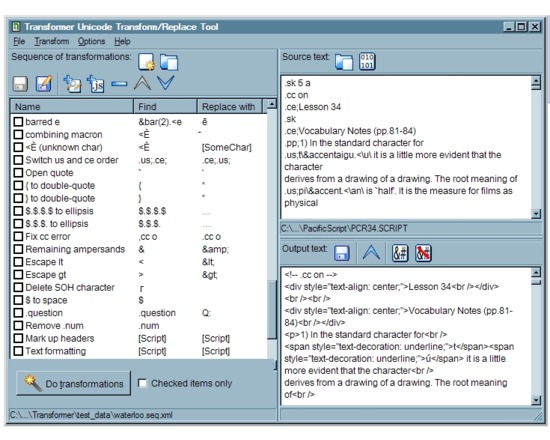
Transformer loads Unicode text files and performs sequences of transformation operations on them — search-and-replace, or JavaScript operations. It provides you with an interface to create and test these sequences of transformations before running them in batch mode on a set of files. Transformer was created to assist in the rescue of textual data from obsolete file formats such as DOS word-processor files. Sometimes, it proves impossible to rescue old data through normal means such as running the original application and exporting to a format which can be imported by a more modern program. Perhaps the program which created the data no longer exists or cannot be run on available hardware, or perhaps it cannot save to any format but its own. In these circumstances, it is often necessary to rescue the data by a process of manual conversion, identifying blocks of text or other data in the original file which can be replaced with Unicode characters, and building sequences of replacement operations which gradually convert the data. This often requires an exhaustive trial-and-error approach in which transformation operations are added incrementally and tested in various sequences before a reliable sequence is developed; then the sequence can be run on a group of files. Transformer should provide as efficient a working environment as possible, so that the user can focus on the task itself rather than the machinery.
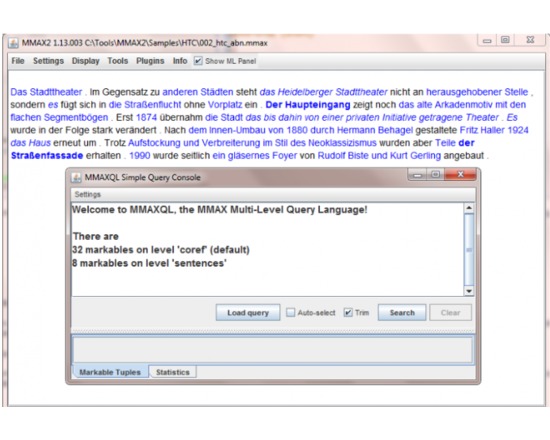
MMax2 is a text annotation tool for creating and visualizing annotations. It has advanced and customizable methods for information and relation visualization.
Features:
Determination of the word class / part of speech (POS) for words in a text
Determination of word senses, including the disambiguation of homonymous and polysemous words
Detection of anaphoric expressions and identification of their antecedents