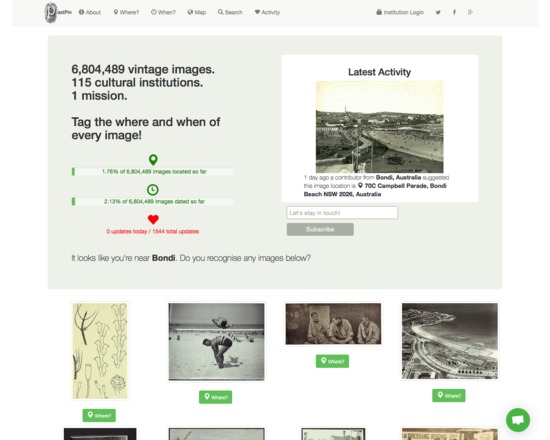
Pastpin is a cultural search engine that aims to showcase the 7M historical images available from Flickr Commons.
Users are prompted to add new metadata (geocodes, temporal data) to existing images that they may recognise based on their current location. The goal of the project is to crowdsource spatial and temporal metadata for these objects.
Visitors to the site can search or browse by using free text, or by going directly to the map and clicking on a thumbnail to view images directly.
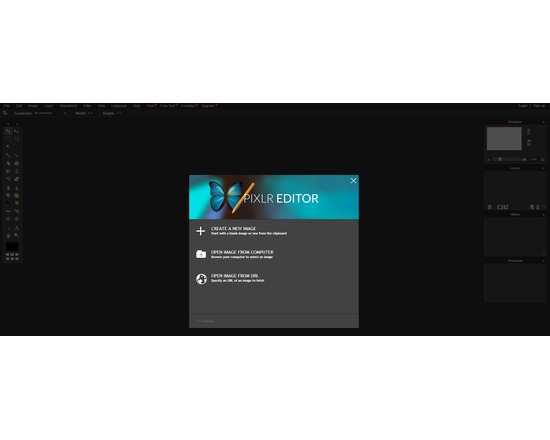
This is a free to use online image editor with a fair amount of features. I use this primarily for quick editing jobs such as resizing and cropping small images. The online editor will load images from your computer or via url which is incredibly handy. There is a firefox plug-in available too which makes the time it takes to view an image, edit, and save it, a fast process. The source code for the application is closed, but the dev team does offer a free API. Pixlr also has tools for mobile devices, one of which is paid app for $1.
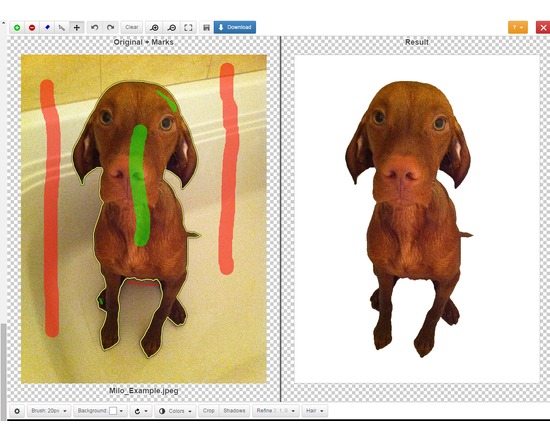
Clipping Magic lets you easily edit out the background of photos. Mark up the foreground and background in the editor, use the scalpel tool for precision selections, then download the new image. You can upload and edit as many images as you like but you must have a paid subscription to download ($4 - $15 per month depending on the number of download credits needed).
Officially supported file formats: JPEG, PNG, GIF images using sRGB color space. CMYK displays the wrong colors in the editor but the resulting image is correct. Current max image resolution is 4 megapixels. The Clipping Magic website includes tutorials for each of their tools.
Feature List:
Web based graphical user Interface, with quick feedback on your edits.
Smart Algorithm minimizes the amount of work you need to put in - you do not need to trace the entire outline of your image
Pan and Zoom to any level necessary allows you to inspect details while quickly navigating your image.
Undo / Redo
Auto-Save
Configurable Auto-Brush-Size: The brush size adapts dynamically to your zoom level so that you can easily zoom in to make detailed edits.
Refine Edges gives you full control over smoothing, feathering and offset.
Dedicated Hair Tool separates out hair from clean and distinct backgrounds.
Color Levels - tune brightness, shadows and highlights, and the color temperature.
Rotate / Straighten.
Crop & Resize
Shadows creator with both drop shadow and ellipse shadows.
Background Color or transparent background options
Configurable Defaults
Bulk Clipping
Share Your Results with a secure URL
They also offer a paid REST-oriented Web API for automating the uploading of images and downloading results. Subscriptions range from $50 to $250 per month.The editor can be integrated into a website using ClippingMagic.js
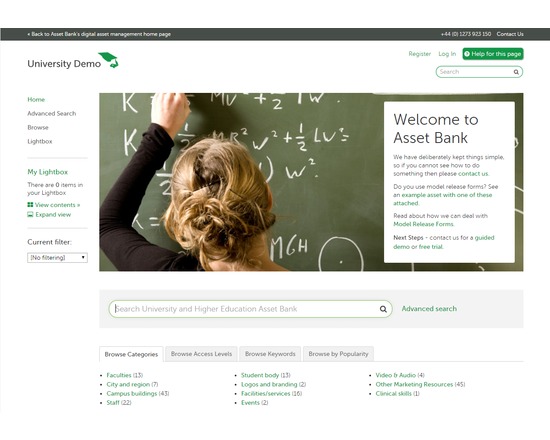
A digital asset management system for the storage, management and delivery of raster images, audiovisual content, documents and other digital asset types. The software provides limited eCommerce functionality for use by institutions that wish to use the system to sell digital products. It may be installed in-house on a Windows/Linux/Unix system or hosted on a system operated by the developers.
Asset storage can be customized to suit the needs of your project on server hard disk, network or SAN, cloud storage via Amazon or Rackspace, via Box accounts, or stored as BLOBs in your database.
Pricing quotes are available through the product website. Asset Bank offers active customer support including guided demos, customized quotes, monthly webinars, a knowledge base, in depth documentation, and a support ticket system. This resource is ideal for large Enterprises and supports multi-lingual configuration, organisational units, and LDAP integration.
Features:
Image versioning
User-driven rating system
Automatic generation of thumbnails and preview images
Rapid downloading of files in a range of formats
Search or browse by keywords and popularity
Monitor & control asset usage
Brand guidelines to provide consistent access to project/organization logos, colours, etc
Metadata batch edit
Date validation
Metadata import in XML or other delimited formats
configure and customize almost all aspects of the interface
Premium Features:
Document Editor Plug-in for desktop applications used to edit common file types (.doc, Photoshop & InDesign file formats)
Video Keywording module allows you to link keyword metadata to points of time in a video asset
Presentation Builder module maintains project presentation slides in Asset Bank, creates master presentation sets including slides that can be shared and reused