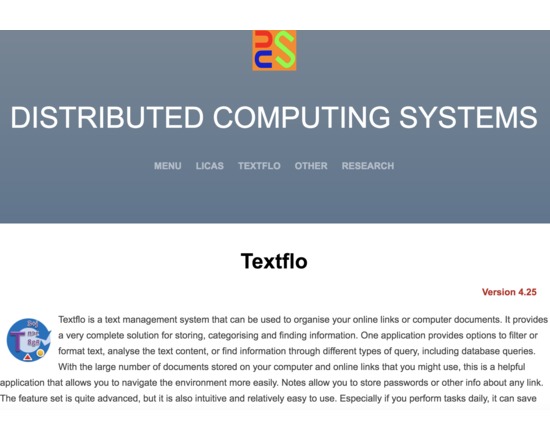
This product can filter or format text-based content. It also includes a document or link organiser and search capabilities and might more correctly be termed a text management system. With the large number of documents stored on your computer and online links that you might use, this is a helpful application that allows you to navigate the environment more easily. Although the feature set is now well developed, an inexperienced user should still be able to use it relatively easily. It is not intended only for the expert managers.
The key features of the application are therefore as follows:
1. The ability to read text, XML, or parse the contents of PDF or online content (HTML). Binary (Microsoft Office) files are included in the professional version.
2. A set of filter operations that can be applied in sequences, saved and retrieved.
3. A set of folders can be used as default locations for all of your related data. The application runs locally only, there is no requirement for a remote server.
4. A grid or tabular format allows you to view database queries, or for operations over specific columns or cells. A log file might have a standard format that can be queried, or conversion to CSV might be required, for example.
5. An analysis panel allows you to select single or groups of files and compare the content based on known clustering algorithms. Also some basic statistical counts.
6. Basic search from a toolbar, or more complex search operations from a Query form. The search facilities allow you to find information from different views and query types.
7. A separate Organiser application allows you to store your online links or local files, into ordered books and categories that can also be searched over. This allows for querying most of the available information, including keywords, descriptions, notes and content.
8. A Bookmarks form displays a list of ordered file references or links, for any type of file. You can open one of your commonly viewed files or links through a single click.
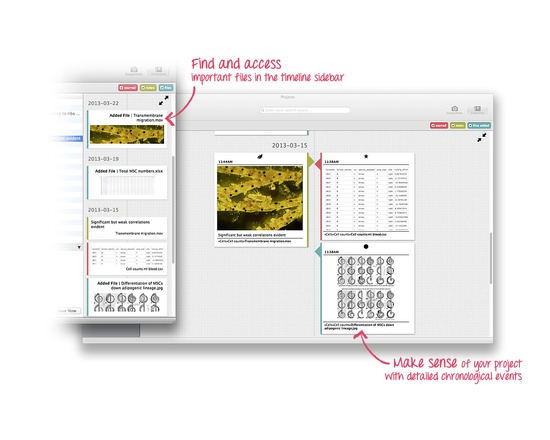
Projects allows researchers to organise and manage all their research outputs in a safe, simple and structured way. It’s designed to help academics, at any stage of their career, keep track and stay on top of all their results. It’s a light, useful and slick application that integrates into a researcher’s existing workflow to help them work more efficiently and ensure they have more time for making discoveries.
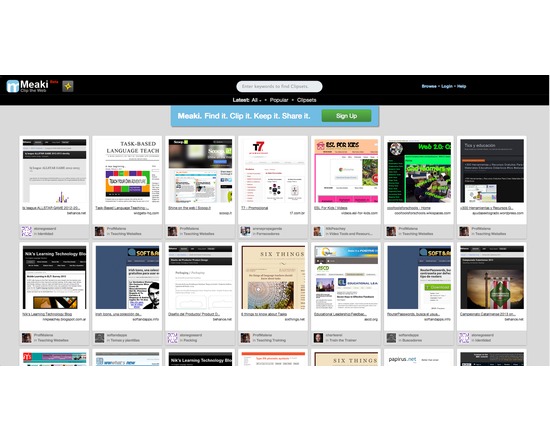
Meaki allows you to clip, organize and share web pages into a visually engaging Clipset. It is similar to other pinboard applications like Pinterest, but allows users to clip entire websites rather than just images and organize them in a sharable, visual collection. Meaki has a built in social component, clipsets are public and can be browsed by anyone.
Meaki is a brower application. Just make an account on Meaki.com and put the “Bookmark Button” in your bookmarks toolbar. Once you come to a webpage you want to clip, click on the Meaki button, and it will guide through clipping and saving the page.
Features:
Simple and easy to use.
Save webpages for later viewing purposes – never loose a website you love.
Search other clippings and Clipsets on Meaki to find new and interesting websites.
*NB At the time this review was written (Nov 10/14) the Meaki.com website was not online and no message about the future of the service was available.

Yojimbo is an information organizer software that allows you to store text, images, PDFs, and passwords; organize information with tags and labels; export a copy of your data to your mobile device; and search all of Yojimbo content. Licenses available for individual, family, or educational use.