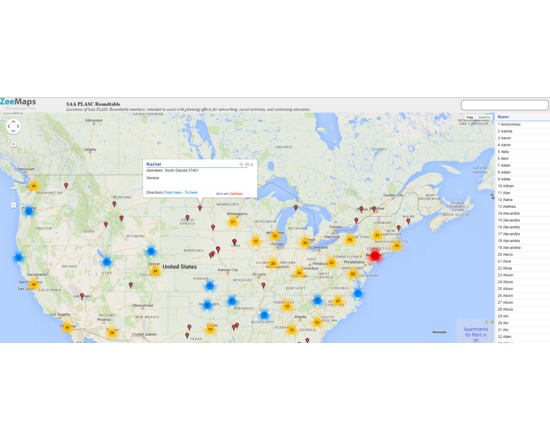
ZeeMaps quickly maps point data on Google base maps in two ways: 1) The user uploads a .csv file of data points and their locations. 2) A group of users all add their own data location points to the map, on their own time from their own devices. Each point can include text, video, image, or audio annotations. Basic functionality is free; larger uploads and large numbers of maps require a paid subscription.
WordHoard is a tool for the study of large texts or transcribed speech. It annotates or tags texts by applying morphological, lexical, prosodic, and narratological criteria. Users may apply WordHoard to their own texts, or to the corpora included with the tool. At present, that corpora includes the entire canon of Early Greek epic (original and in translation), Chaucer, Shakespeare and Spencer.
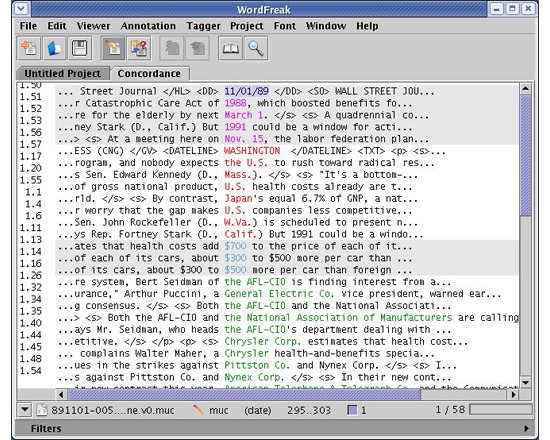
WordFreak is a free, open-source tool for linguistic annotation. It is designed to support both human and automated annotation of linguistic data, and learns human corrections of automatically annotated data.
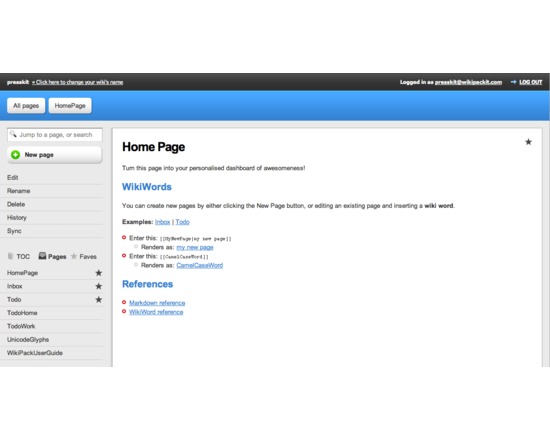
WikiPack is a web based personal information organizer and Markdown editor that uses Dropbox for synced storage. Using plain text Markdown files and WikiWords, WikiPack gives information context and links entries together by turning your Markdown pages into a private, password protected wiki. The easy to use Markdown language lets you create and edit your wiki pages without having to learn complex wiki syntax. WikiPack features page history/versioning and visual change comparisons in the browser-based GUI and store all of your files in your Dropbox account. You can import existing markdown files to sync WikiPack with other apps and services using Dropbox, or use the quick-start template to set up new wikis. WikiPack includes a GUI markdown editor with syntax highlighting, built-in markdown reference, support for Multimarkdown table, and toolbar buttons with keyboard shortcuts and tools for common formatting. WikiPack works in the browser so you can use it on any desktop or mobile device that has an internet connection and Dropbox functionality.
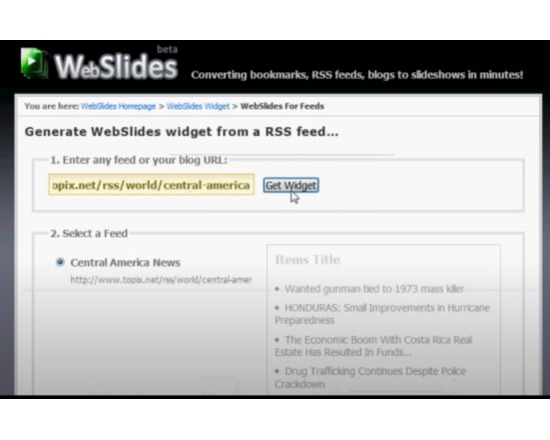
WebSlides allows you to convert your bookmarks and feeds to present them as live web pages in an interactive slideshow. Each WebSlide has a unique URL, or comes as a widget. Users may create a guided tour of any website, group course information for students, provide a simple tutorial on any subject, or share images on the web. Additionally, content publishers may use this presentation format for repacking and remixing content.
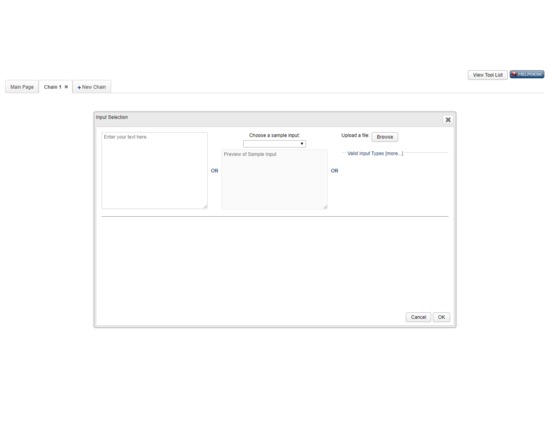
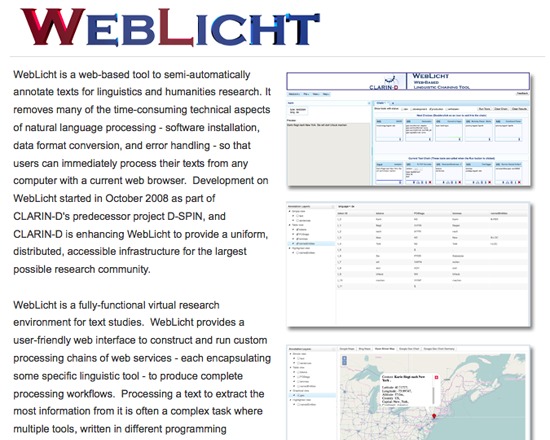
WebLicht is an execution environment for automatic annotation of text corpora. Linguistic tools such as tokenizers, part of speech taggers, and parsers are encapsulated as web services, which can be combined by the user into custom processing chains. The resulting annotations can then be visualized in an appropriate way, such as in a table or tree format. It is often the case that a tool relies on one or more annotation layers to exist in the input data before it can begin processing. WebLicht can assist the user in building a processing chain by determining which tools are able to operate on the data at any given point and offering only those tools as options to add to the chain. There are 2 modes for building tool chains: Easy Mode lets you choose pre-defined processing chains Advanced Mode allows you to build customized tool chains. Login is required to use the tools and corpora. Login with email addresses from most recognized European universities will be automatically accepted. Individuals with a Non-European email address need to create an account with clarin.eu Developed by the German language resource infrastructure (D-SPIN) and Common language resources and technology infrastructure (CLARIN)
WebLicht is an architecture for creating annotated text corpora. It offers a fully-functional virtual research environment with chains of RESTful web services, each providing a linguistic tool such as format conversion, tokenizing, tagging or parsing. It outputs corpora as XML documents.
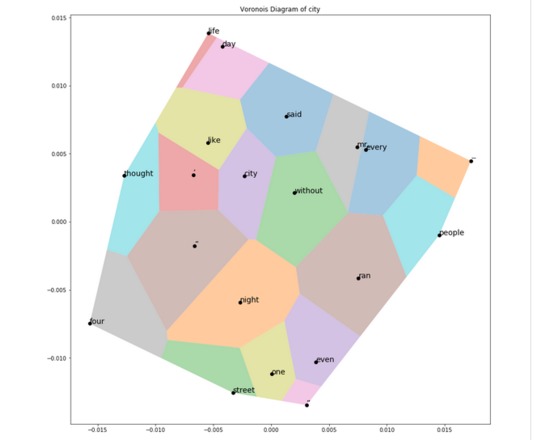
In this notebook, we will examine how to use word embedding and voronoi diagram to display the relationship between other words and a search term. Using A Tale of Two Cities by Charles Dickens as the example (acquired from Project Gutenberg), we will showcase how the program works as well as explain different modification and steps that can be taken in the future.
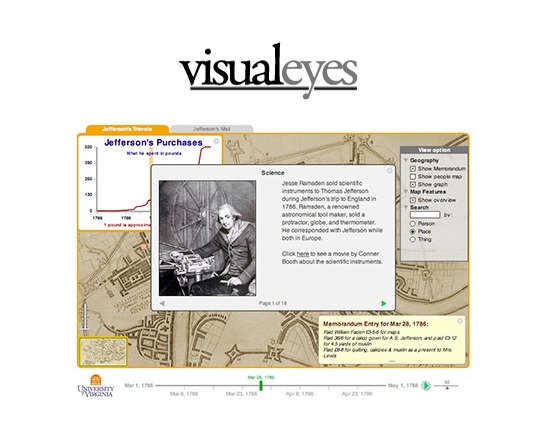
VisualEyes is web-based authoring tool for creating dynamic visualizations offered by the University of Virginia. It can be used to combine images, maps, charts, video and research data into a single visualization. It is comprehensively documented, including a reference guide to its XML structure and scripting, and to structuring data for inclusion.
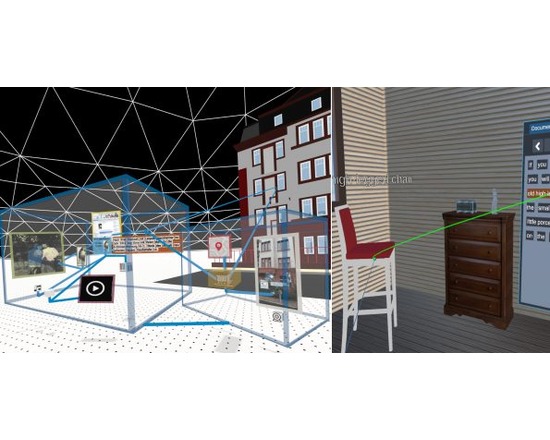
VAnnotatoR is a system that massively supports the annotation of multimedia, multimodal networks of linguistic and object-related data in virtual 3D environments. VAnnotatoR allows for segmenting and linking texts and images with other multimedia, multimodal data to ultimately create spatial hypertexts. It can be used to support concrete technical applications, e.g. the reconstruction of 3D scenes from texts as a preparatory step for the training of Text2Scene systems, or for applications in the digital humanities, such as the spatial reconstruction and linking of historical scenes or biographies with corresponding media content, such as images or 3D reconstructions of historical buildings. The entire system is interactively accessible with VR glasses in Virtual Reality (VR) and can be controlled and experienced accordingly. VAnnotatoR uses TextAnnotator as technological backbone and thus all its functions for annotation, task management, annotation evaluation as well as for collaborative and simultaneous processing of resources. Furthermore, VAnnotatoR uses TextImager to benefit from its NLP routines for automatic text analysis. VAnnotatoR is implemented on the basis of Unity3D and OpenVR and therefore runs with both systems and several VR glasses – it was tested on Oculus Rift, Oculus Rift S, Oculus Quest, HTC Vive and HTC Vive Cosmos under Windows 10. A demonstration of its usage can be found here https://www.youtube.com/watch?v=BBUg8mHT0iI