Audio Production Software
Interested in audio production and editing? Here are a few programs that can help you get on your way. Some of them are free, some not, but all are helpful and useful.
REAPER is a complete digital audio production application for computers, offering a full multitrack audio and MIDI recording, editing, processing, mixing and mastering toolset. REAPER supports a vast range of hardware, digital formats and plugins, and can be comprehensively extended, scripted and modified.
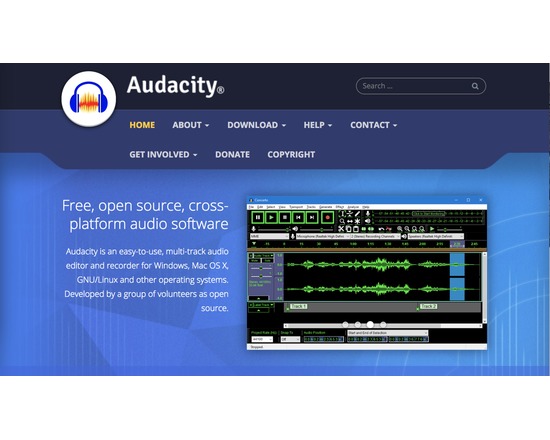
<p>Audacity is a free, easy-to-use and multilingual audio editor and recorder. Basic features, as listed on their website, include:</p><p></p><p>Record live audio.</p><p></p><p>Record computer playback on any Windows Vista or later machine.</p><p></p><p>Convert tapes and records into digital recordings or CDs.</p><p></p><p>Edit WAV, AIFF, FLAC, MP2, MP3 or Ogg Vorbis sound files.</p><p></p><p>Cut, copy, splice or mix sounds together.</p><p></p><p>Change the speed or pitch of a recording.</p>
Logic Pro X is an advanced music production application that gives you everything you need to create amazing music. Offering a massive library of sounds and innovative features like Drummer, Flex Pitch, Smart Controls, and MIDI plug-ins, Logic Pro X makes it easy to compose, record, edit, and mix professional-quality tracks.
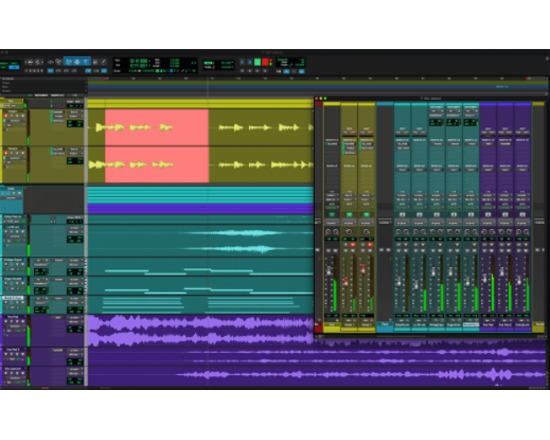
<p>Pro Tools is audio creation and production software. With Pro Tools it is possible to compose, record, edit, and mix music or sound for pictures and video with out havingto use a variety of software.</p><p>Features: </p><p>- over 70 groundbreaking virtual instruments, effects, and utility plug-ins</p><p>- over 8 GB of audio loops</p><p>- view, edit, arrange and print MIDI data as music notation</p><p>- Supports files up to 4 GB</p>
Other list by Holly Pickering