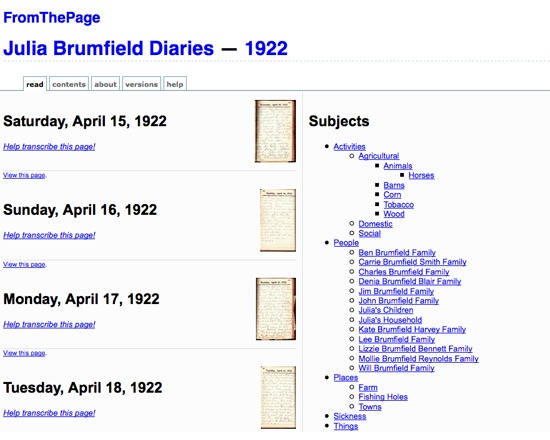
FromThePage is a free software for manuscript transcription, allowing volunteers to transcribe document pages online. Transcriptions can then be marked up and annotated in a wiki-like enviroment, with the resultant text displayed on the public web. It includes a discussion environment, enabling collaboration on particularly difficult pages. FromThePage is currently in beta, permitting up to 100 pages per project, and is in the process of developing a paid version for larger projects requiring more server space, with price determined primarily by server and maintenance costs. Privacy features are also under development, and further features forthcoming based on feedback from users.
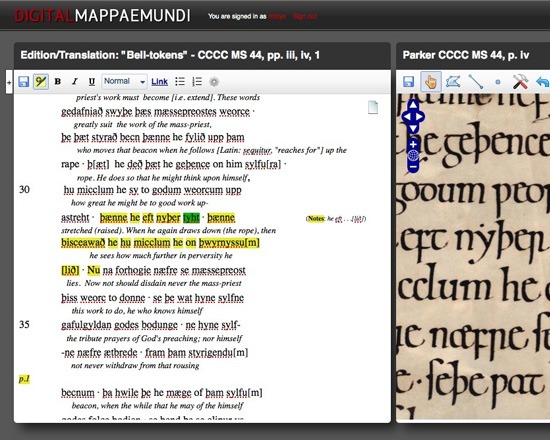
The DM is an environment for studying and annotating images and texts. It enables users to link together images, texts, or fragments of images or texts, such as a textual annotation of an image or text. It is aimed at scholars of English and French literature, art history, and musicology, and to work with digitized Old English, Latin and Old French manuscripts, medieval maps and scrolls.
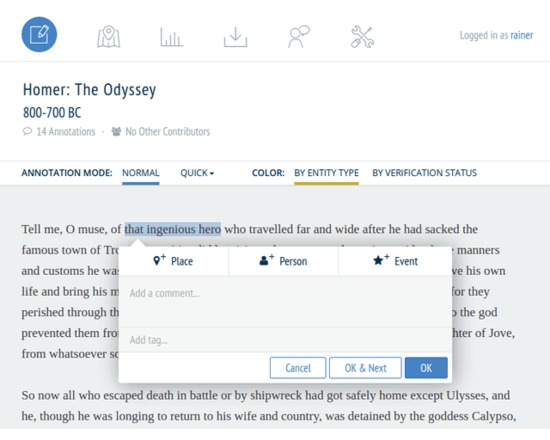
Recogito is an online platform for collaborative document annotation.
Recogito provides a personal workspace where you can upload, collect and organize your source materials - texts and images - and collaborate in their annotation and interpretation. Recogito enables you to make your work more visible on the Web more easily, and to expose the results of your research as Open Data.
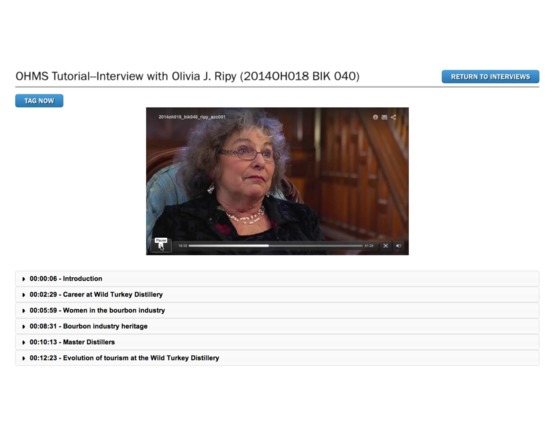
OHMS (Oral History Metadata Synchronizer) inexpensively and efficiently enhances access to oral history by providing users with word-level search capability and a time-correlated transcript or indexed interview connecting the textual search term to the corresponding moment in the recorded interview online.
OHMS is an open source, web-based application designed to improve the user experience you provide for oral history, no matter what CMS or repository you use. There are 2 main components of the OHMS system
OHMS Application: The OHMS application is where the work is done. This is the back-end, web-based application where interviews are imported, and metadata is created. In the OHMS application transcripts are time-coded and/or interviews are indexed. Upon completion, the interview record (including the synchronized transcript and/or time-coded index) are exported as an XML file. When located on a web server, the OHMS XML file is what interfaces with your content management system through the OHMS Viewer.
OHMS Viewer: The OHMS viewer is the user interface of ohms. When an interview is called by the repository, the OHMS viewer loads, calling select interview level metadata and the intra interview level metadata created in the OHMS Application from the corresponding xml file.
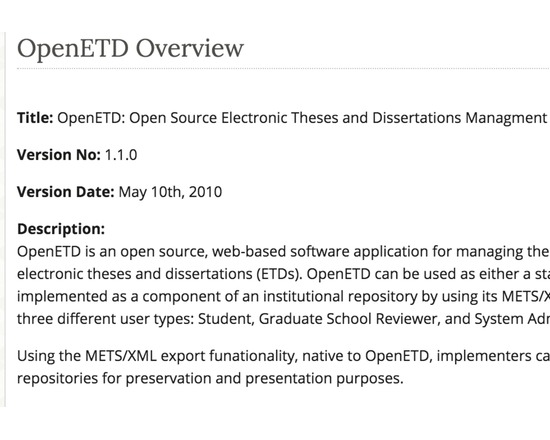
OpenETD is an open source, web-based software application for managing the submission, approval, and distribution of electronic theses and dissertations (ETDs).
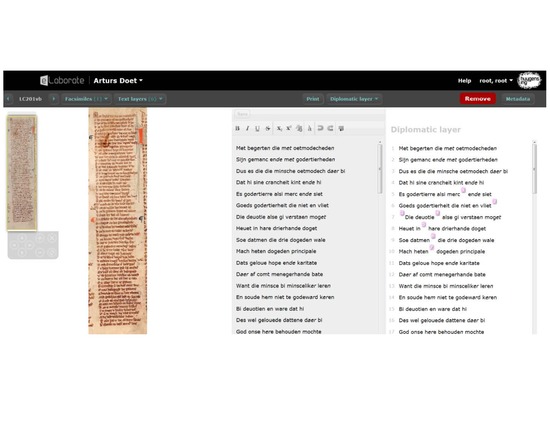
eLaborate is an online work environment in which scholars can upload scans, transcribe and annotate text, and publish the results as on online text edition which is freely available to all users.
Dragon Dictation is a voice recognition application that allows you to speak and instantly see your text content from email messages to blog posts on your iPad, iPhone, or iPod Touch.
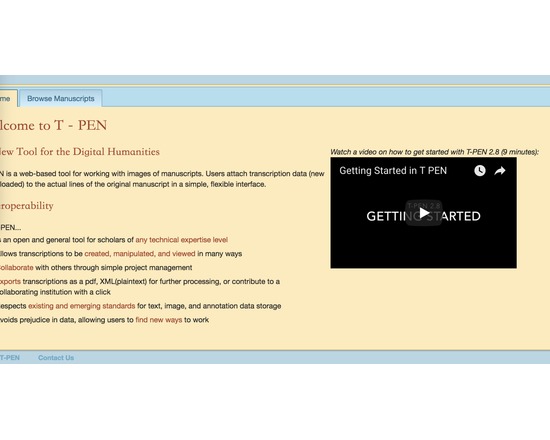
Extensive set of tools to allow collaborative transcription of manuscript pages in TEI-compliant XML.
Features of T-PEN through version 1.2 [from project blog]
Zoom Tool in Transcription User Interface: Holding CTRL+SHIFT will result in a magnified image of the current line being transcribed.
Magnifying Tool in Full Page View: Click on "Magnify" button at the top right of the browser window and a magnifying glass tool will appear as the mouse pointer. Click on the same button to dismiss the tool. The magnifying tool is also available in the Compare Page feature.
Create a Project “Pipeline” to the outer world: In partnership with The Carolingian Canon Law Project (CCL), T-PEN developed a model for enabling users working on transcription projects in T-PEN to export their work to a larger, external project. In this instance, the CCL prepared for T-PEN an XML-markup template (XML button set) that may be used for all transcriptions destined for the CCL database. Users identify their T-PEN projects as destined for the CCL, and when the transcription is complete, they can submit it from T-PEN to the CCL project. The CCL receives notification of the stable URL in T-PEN that the CCL can (either manually or by automation) use to extract the designated transcription from T-PEN’s data store. Other projects interested in creating their own pipeline should contact T-PEN via t-pen.org
T-PEN Administration: T-PEN administrator can clear registration requests that have not been approved (ones that were mostly generated through internal testing).
Transcription UI: The previous line text will scale to the size of the screen. When on the first line of the page, available text from the last line of the previous page will be shown.
Visual Cue for Closing Tag Proximity (Transcription UI): Closing tags originating on previous pages are faded to indicate their distance from the current line of transcription.
Transcription Preview: The preview tool now applies a simple color filter to to allow for a more clear view of your transcription.
New Project Option Tools: Users can add a French/English dictionary, a dictionary for Middle English and the Dictionary of Old English (subscription required). User can select which tools will be available in the Transcription UI’s i-frame. All tools can also be renamed by the user on the project management page.
Exporting Transcriptions: When exporting xml, users can select or deselect all the tags for inclusion at once.
Line History (Versioning): T-PEN distinguishes between all versions of any transcription line. Users can view previous versions of a given line. A change in a line is defined as addition or deletion of a single character (including white space) or modifications to the line parsing coordinates. A previous version can be selected to replace the current version. All versioning activity is recorded in the project log, which can be viewed on the project management page under the Collaboration tab.
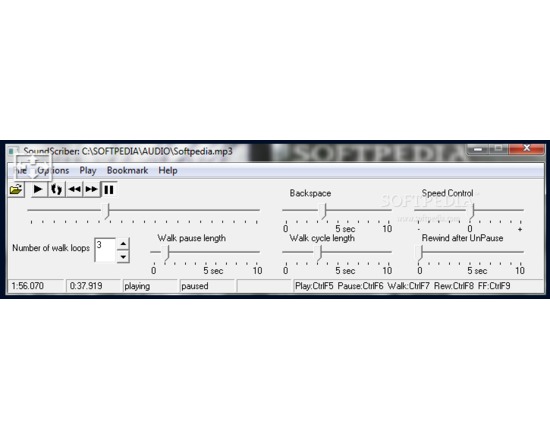
A software application for the playback of audio recordings. SoundScriber offers specific functionality for researchers that wish to transcribe a recording. It was originally developed for use in the Michigan Corpus of Academic Spoken English (MICASE) project and released for use by academics performing similar work.
Features:
Audio playback via installed audio codecs (e.g. Wav, MP3)
Variable speed playback
'Walking' support – playback of a small stretch of an audio stream several times to ensure accurate transcription is made, followed by an advancement to a new section of audio.
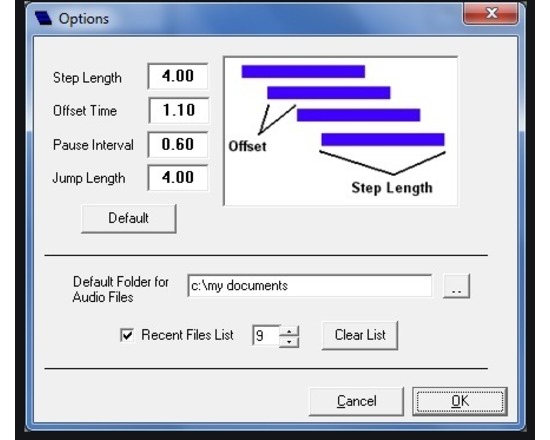
VoiceWalker is a transcriber's tool, designed to help you transcribe audio or video recordings. VoiceWalker lets you play back the sound in a controlled way, with the benefit of being able to systematically step (or "walk") through a recording, repeating short segments for a specified number of repetitions, then moving on to the next segment. The segments overlap, so that the transcriber does not become disoriented. VoiceWalker assumes that you have digitized your recordings as computer files to work with them more easily (for information on how to digitize, see the VoiceWalker manual). VoiceWalker is free, available for Windows only.