Skip to content
TAPoR Text Analysis Portal for Research

Tools

Sort by Name Rating Date ↑

Search

List Words - Plain Text (TAPoRware)

This tool lists words in an plain text document, either uploaded by the user or from a web address. List Words works with relatively small texts of under a megabyte in size. It is part of the TAPoRware collection of tools; there are XML and HTML versions available as well. This tool’s functionality has been incorporated into Voyant available online at www.voyant-tools.org.

Rated 1.0 out of 5.

Search

Comparator - HTML (TAPoRware)

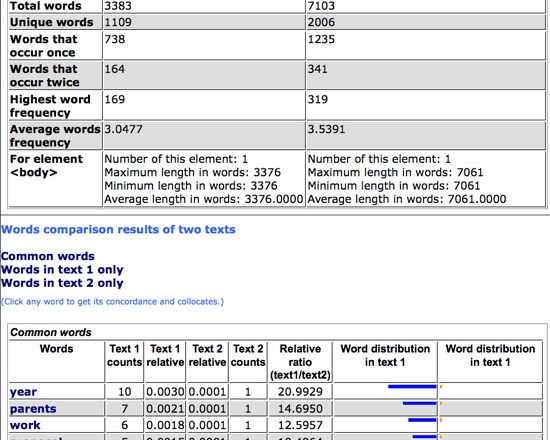
This tool compares two documents by comparing the words in each according to user specifications. XML and plain text versions are also available in the TAPoRware toolsets. This tool’s functionality has been incorporated into Voyant available online at www.voyant-tools.org

Rated 0.0 out of 5.

Search

Stanford NLP Group: Part-of-Speech Tagger

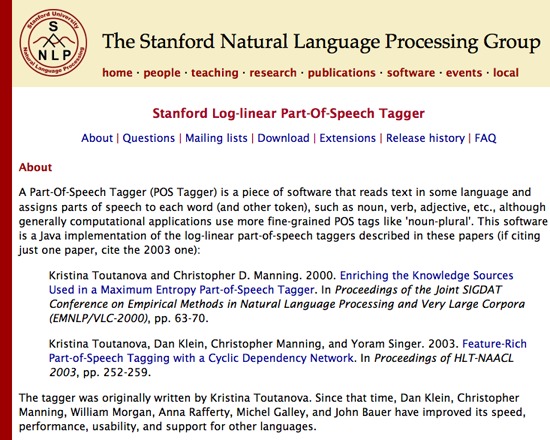
Stanford Part-of-Speech Tagger is a free Java implementation for the recognition of parts of speech, and a part of the Stanford Natural Language Processing toolset. It reads text and assigns parts of speech to each word such as noun, verb or adjective. This tool can be used with English, French, Arabic and German text.

Rated 0.0 out of 5.

Search

EURAC: Corpus Clouds

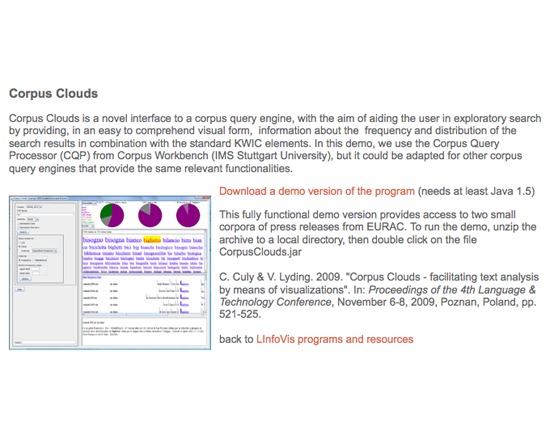
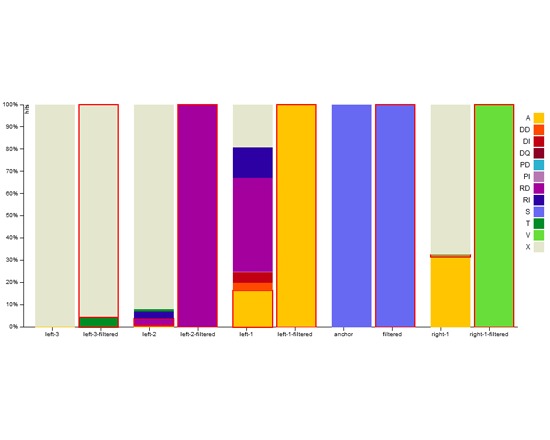
Corpus Clouds is a free Java demo of a novel interface to a corpus query engine. It aims to aid the user in exploratory search by providing visual information about frequency and distribution of search results in combination with the standard KWIC elements.

Rated 0.0 out of 5.

Search

Letter-Pairs Analysis

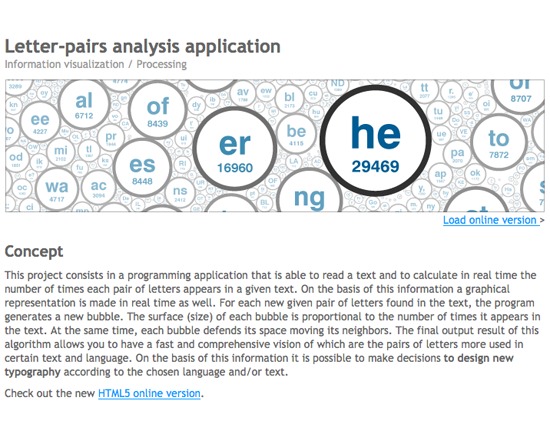
Letter-Pairs Analysis is a free, web-based tool for calculating and visualizing the number of times a pair of letters appears in a given text. Each pair is represented as a 'bubble', sized according to how frequently that pair appears in the text. An HTML5 version is also now available. Note : this tool forms the basis of Voyant Bubbles.

Rated 0.0 out of 5.

Search

Pundit

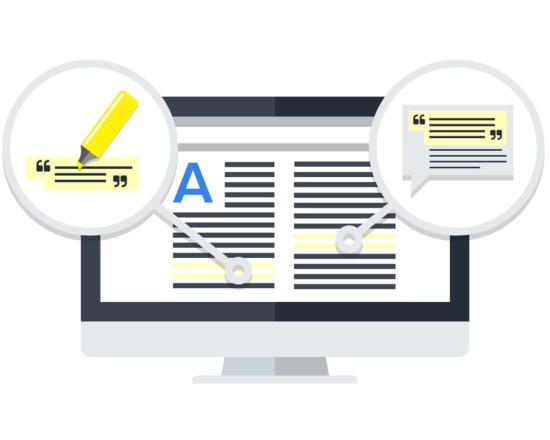
Pundit is a cloud service that allows users to 'take notes' on web documents, like a web page or a PDF file. It consists of a set of components, amongst them the Annotator, a free extension for the Google Chrome browser used by users to create the annotations. Annotations can be highlights of text parts or comments, applied either on a selection of the text or on the whole document. It is also possible to create annotations to tag a selected text or an entire web page. Pundit supports semantic annotations, real RDF triples (subject - predicate -> object) to specify formal, structured and reusable statements associated to the annotated content.

Rated 5.0 out of 5.

Search

EURAC: interHist

interHist is a free visualization prototype offered by EURAC and implemented in JavaScript using the D3.js library. It enables users to interactively explore concordances from search queries and can accomodate large result sets in its display.

Rated 0.0 out of 5.

Search

YAGO

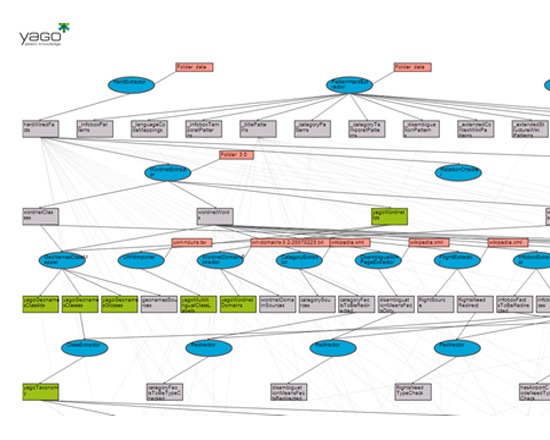
YAGO is a semantic knowledge base of over 10 million entities, and over 120 million facts about those entities, developed by the Max Planck Institut Informatik. Its base derives from Wikipedia, WordNet and GeoNames, and the accuaracy has not only been manually evaluated, but relations are also provided with an annotation stating its confidence value. The YAGO ontology includes spacial and temporal dimensions, and integrates WordNet's thematic domains as well. It can be queried or browsed right from the website, and the full ontology is available for download.

Rated 0.0 out of 5.

Search

DfR Browser

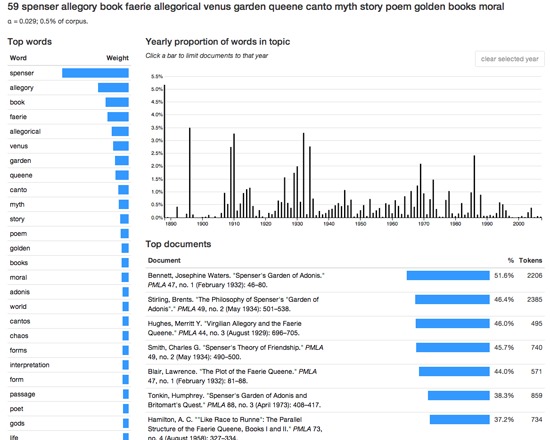
The DfR Browser is a free, open source visualization interface for exploring aggragates of articles from the JSTOR database. It uses topic modelling, co-occurrances and document metadata to provide multiple views on the corpus of interest based on topic searches, via several specialized views such as scaled, list and yearly subviews. Users can test the DfR browser via the provided web demo, which incudes a broad selection of pre-loaded topics, or download the source code to use the tool with their own data. The tool's output can be imported into Mallet for further analysis.

Rated 0.0 out of 5.

Publishing

Artifex Press

Artifex Press is a publishing and technology company that digitally publishes catalogues raisonnés, a comprehensive, annotated documentation of all of the known artworks by an artists. They have developed a proprietary, patented software platform and a dedicated publishing program in order to create digital catalogues raisonnés. They offer both their own digital catalogues raisonnés and the ability to licence the software to produce your own projects. Catalogues raisonnés have typically been published book but the information they contain is constantly in flux and printed versions are rarely complete and accurate for long. The online version produced by Artifex Press is more accessible, more flexible, more time- and cost-efficient, and above all, more accurate and up-to-date than the traditional printed counterpart.In addition to the digital publication, Artifex Press creates digital archives for all the artists with whom they work. The Artifex Press software is available for licensing, for catalogue raisonné projects run by outside organizations including artist studios, foundations, and estates. The company is open to new collaborations looking to preserve the legacy and intellectual property of artists and estates. Research & Archive Tool Digital content management: create links between artworks, publications, exhibitions, collectors, venues, institutions, and other relevant categories build artwork records with data files such as title, date, medium, dimensions, inscriptions, editions, provenance, condition, installation instructions, and comments store multiple images and private documents in each record Web-accessible: software is available anywhere with an internet connection Unlimited storage: there are no storage limits and performance of your catalogue is not affected by large data sets Attention to your needs: Software has been shaped by the feedback of multiple catalogue editors, researchers, and artist studio managers to determine the most useful, practical, and intuitive tools and features Compatibility: You can import existing databases and convert them to fit Artifex fields without losing information Publishing Tool Publish to a selected audience only: control your user group or make your content available to the public Publish while withholding confidential information: define public and archive only sections of your collection Flexible design: customize the look and feel of your catalogue including the homepage, artwork views and editorial pages Ease of navigation: design features have been rigorously tested to ensure ease of use Multimedia content: include any number of images, videos, audio clips, and other multimedia content Real-time accuracy & cataloguing: by updating provenance as well as exhibition and literature histories, you can maintain the accuracy of the content; you can also expand the catalogue to include newly discovered information and newly created artworks. Assistance: Artifex Press are available to make the editing and publishing process as easy as possible. For more information or to set up a live tour of the software and learn about their research & editorial servces contact: info@artifexpress.com

Rated 0.0 out of 5.